To view the Freizeitkarte maps correctly, a suitable design (theme) must be installed and configured in your maps app. If the design of the Freizeitkarte maps is not installed or enabled, the representation will then deviate strongly from the samples given on this website and many map elements are missing.
Tips concerning download:
- click on the Netbook Icon in the PC browser: the design will be downloaded onto your personal computer
- click on the Locus Map Icon in the Android browser: the design will be downloaded into Locus Map
- click on the OruxMaps Icon in the Android browser: the design will be downloaded into OruxMaps
Freizeitkarte design
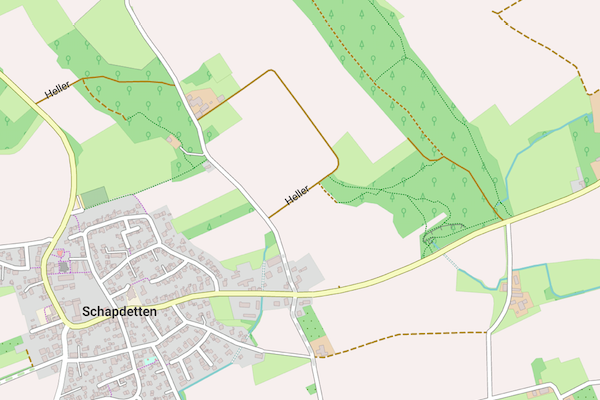
The design uses bright colors and is designed for general use.
| freizeitkarte 0.3 MB |
|
|

|
Design fzk-outdoor-contrast
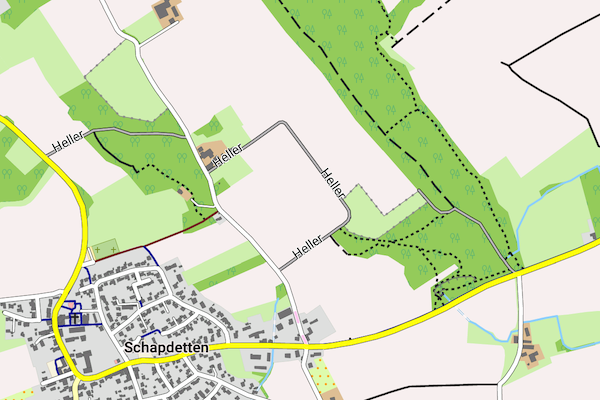
The design uses bold colors and is designed for "outdoor" use.
| fzk-outdoor-contrast 0.3 MB |
|
|
|
Design fzk-outdoor-soft
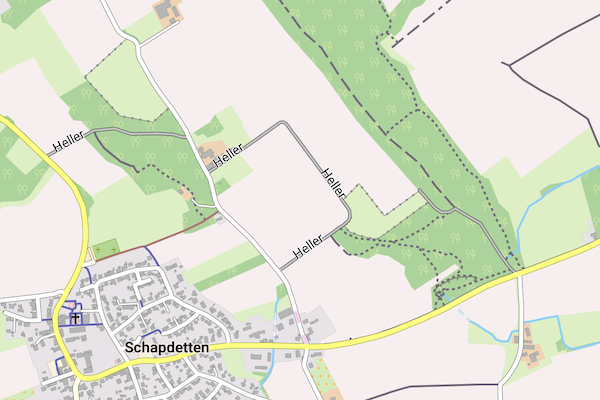
The design "fzk-outdoor-soft" uses in comparison to "fzk-outdoor-contrast" reduced contrast.
| fzk-outdoor-soft 0.3 MB |
|
|
|
Design fzk-outdoor-dark
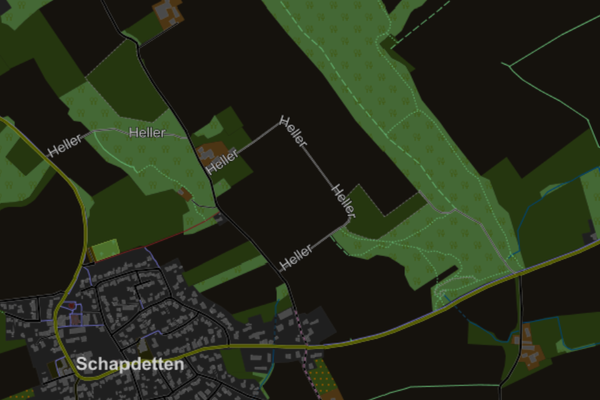
The "fzk-outdoor-dark" design uses inverted brightness values and is therefore suitable for the night.
| fzk-outdoor-dark 0.3 MB |
|
|
|